Doing the seating chart with screenshots?

One seating chart, everyone in it.

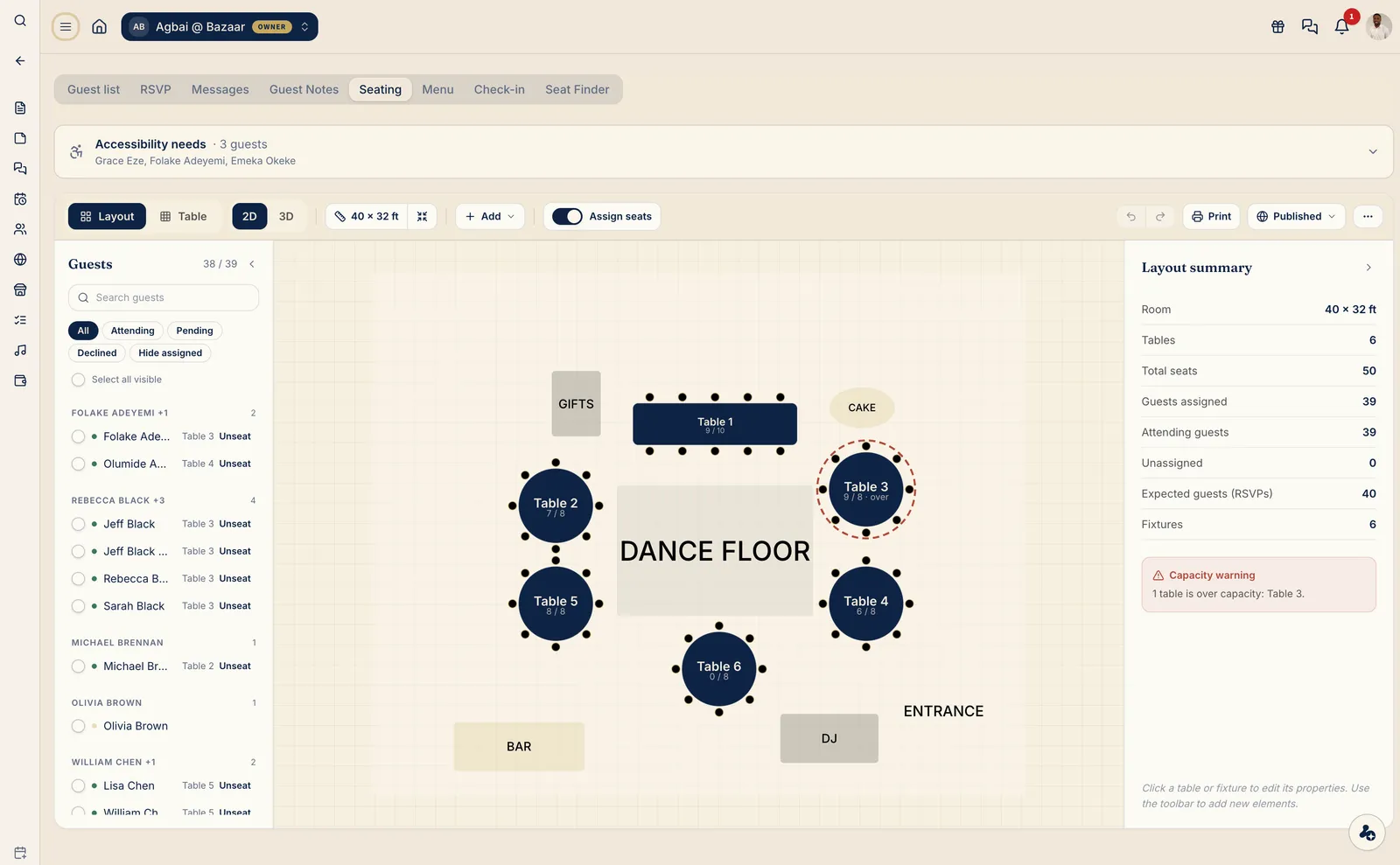
Drag guests onto tables, with your planner and venue editing the same chart at the same time.
Start planning free
bazaar.events/event/seating
The seating chart, with guests placed at tables.
Step 1

Lay out the room

Start from your venue’s own floor plan when they have one on Bazaar, or draw the tables yourself.

bazaar.events/event/seating
The seating chart, with guests placed at tables.
Step 2

Drag guests to their seats

A list beside the chart shows who still needs a seat, so nobody is left standing.
bazaar.events/event/guests
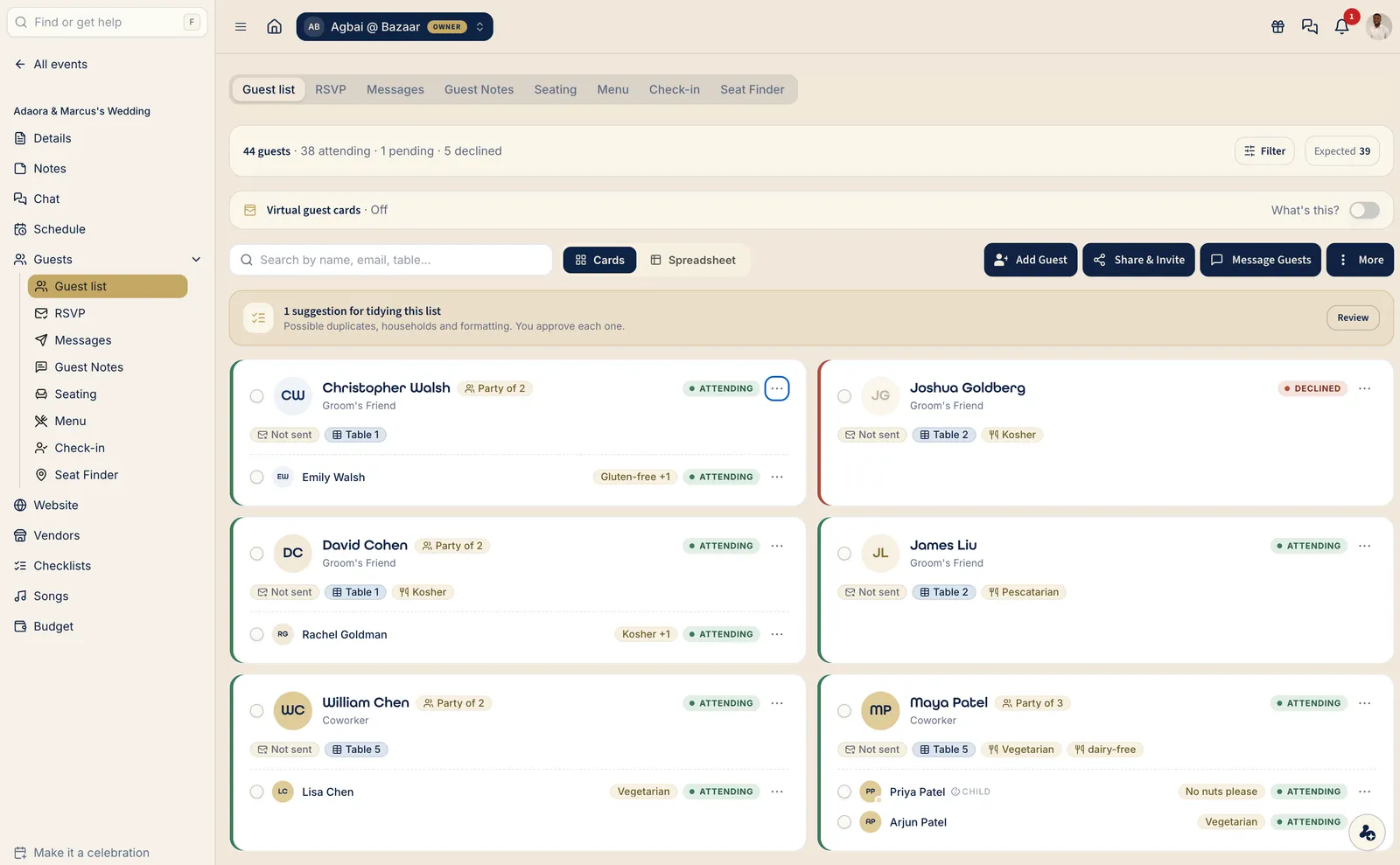
The guest list in Bazaar, with each guest’s RSVP answer.
Step 3

Guests find their table

Each guest’s card shows their table, and a seat finder page lets anyone look theirs up without signing in.
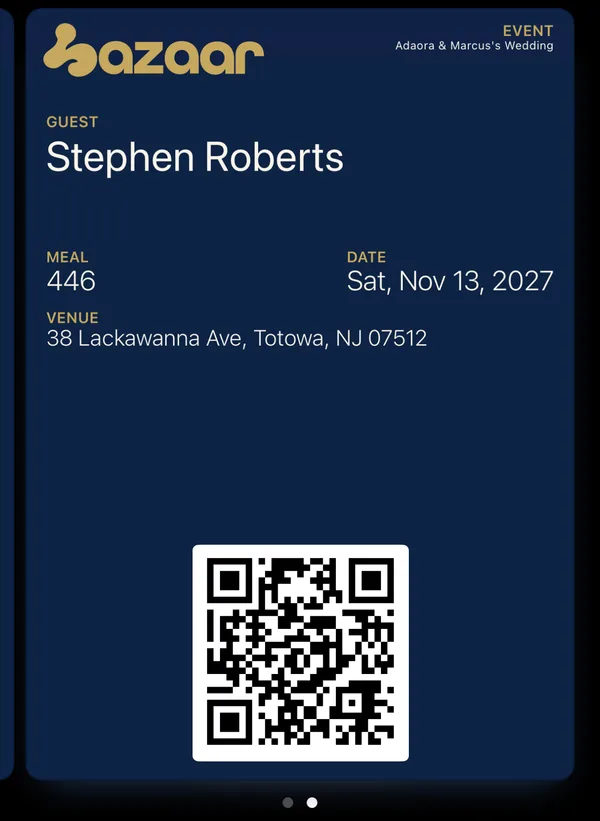
A guest card on a phone with the guest’s table, meal and a QR code.
FAQ

Frequently asked questions.

What people ask before they start.

You, plus anyone you add to the event, like your planner or venue. You decide who sees what.
It comes with an event pass, or free when you book a vendor on Bazaar Plus.
Yes. Print a seat finder sign with a QR code, and guests scan it to find their table.

Every guest, every plate,
every seat.

Start planning free
Meal selection Guests pick their meal with the RSVP, and your caterer knows whose plate is whose.RSVP by text Every guest gets their own link by text or email and answers in one tap.
Bazaar
Where hosts and their vendors plan the whole event together, from the first inquiry to the last plate.
Product
MarketplaceVendor directoryEvents near youPricingFAQ
For hosts
What hosts getPlan an eventFind vendors
For vendors
What vendors getList your business freeRun a conference
© 2026 Mixer Events LLC, doing business as Bazaar Events · Events, reimagined.
AboutHelpWhat's newSupportTermsPrivacy